Which AI Actually Reads Your Handwriting? I Tested Gemini, Claude and ChatGPT
I had handwritten strategy notes that needed to become a real document. Rather than retyping everything, I tested Gemini, ChatGPT and Claude with the same prompt. Here's what happened

I had a problem most of us have had. Handwritten notes from a brain dump that needed to become an actual document.
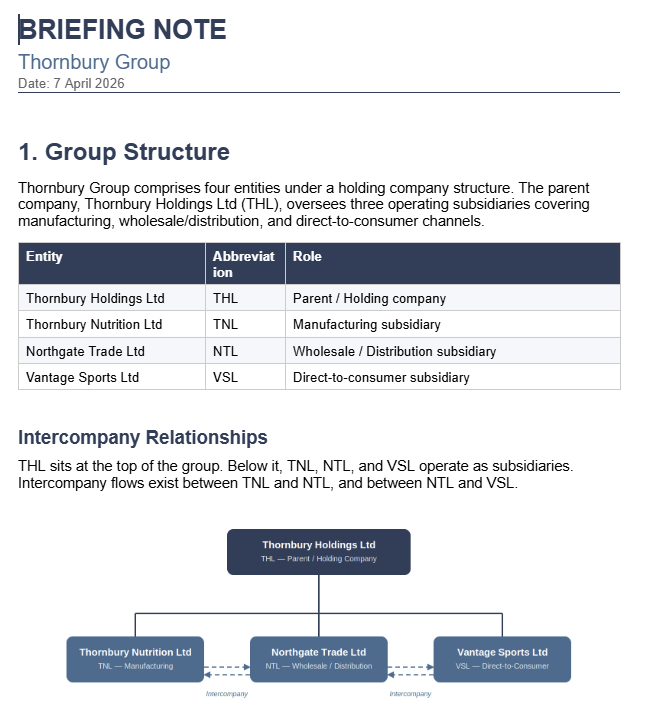
At work, I had to draft a data strategy to make sure our systems were set up to capture the information our investors needed. So I grabbed a notebook and scribbled out my thinking. Arrows, circles, tables, abbreviations. The kind of thing only I could read. Maybe.
You've probably got a notebook like this. Full of ideas you'll forget and never share with anyone.
This is one of the most interesting AI use cases because it goes beyond "ask a question, get an answer." You're handing a tool your messy thinking and asking it to help you turn it into something real. That's actual collaboration.
Rather than retyping everything, I scanned the pages and gave them to three AI tools (Google Gemini, ChatGPT and Claude) with the same prompt:
"Read the scanned document with my notes for the data strategy (six pillars) and create a document based on these notes. Ask me where you need to clarify what anything means or the layout."
Same input. Same instructions. Three very different results.
Note: I can't share the actual work documents, so I replicated the test with my fictional company Thornbury Group (a British producer of sports supplements 💪).
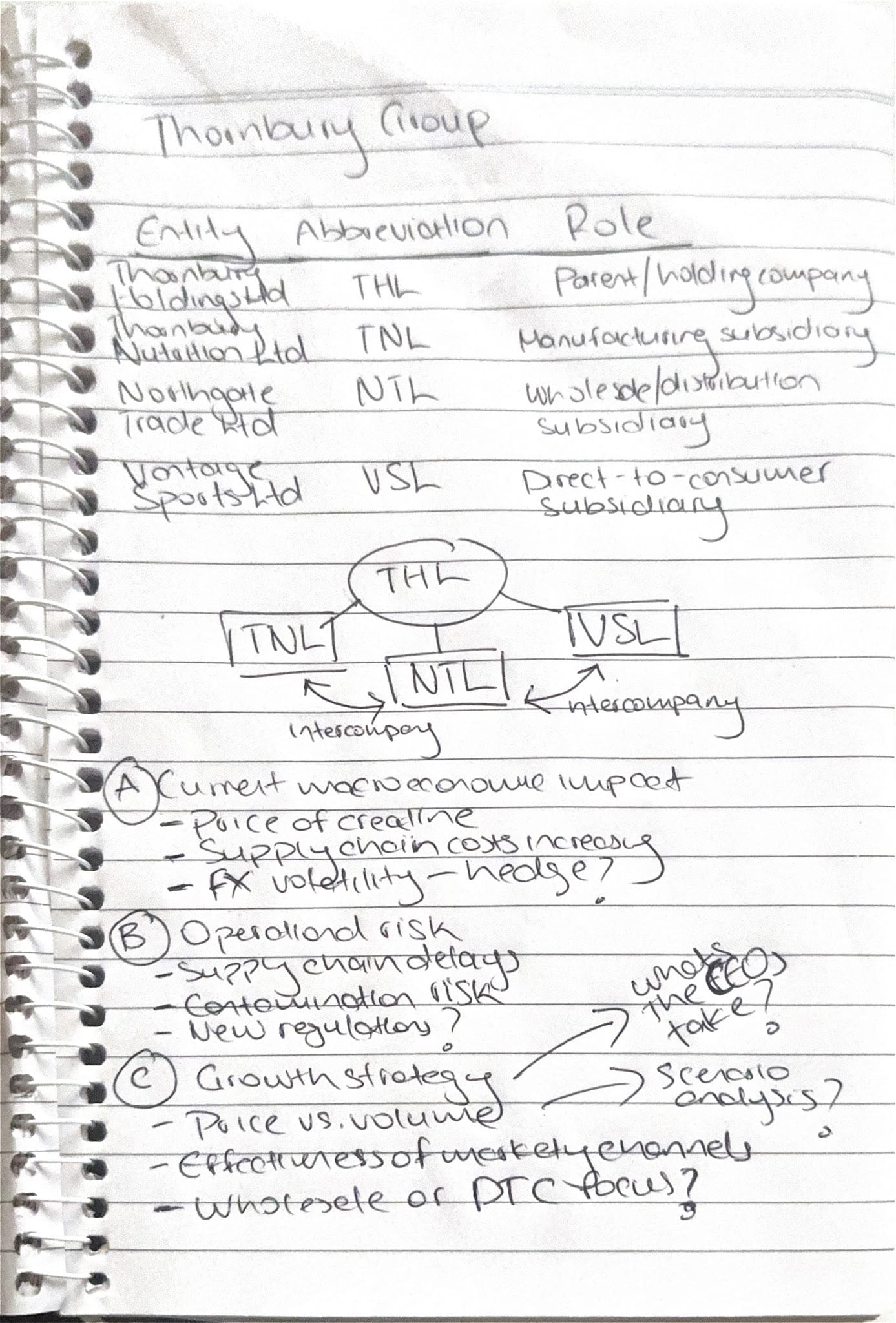
Gemini: The Fast One
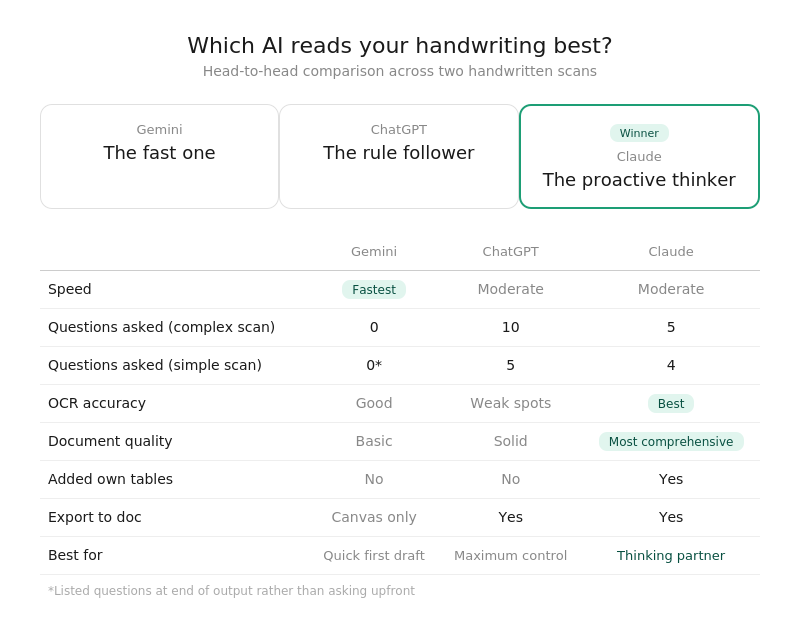
Gemini was almost instantaneous, even with the Thinking setting on. It read the scan, produced a document and moved on. No questions asked. Literally. It just got on with it.
The output was the simplest of the three. Clean but basic. It also couldn't export to a Google Doc unless I switched to Canvas mode, so it just dropped the content straight into the chat.
It did include a list of questions at the end though. Questions after the fact rather than before. Useful if you want speed first and refinement later.
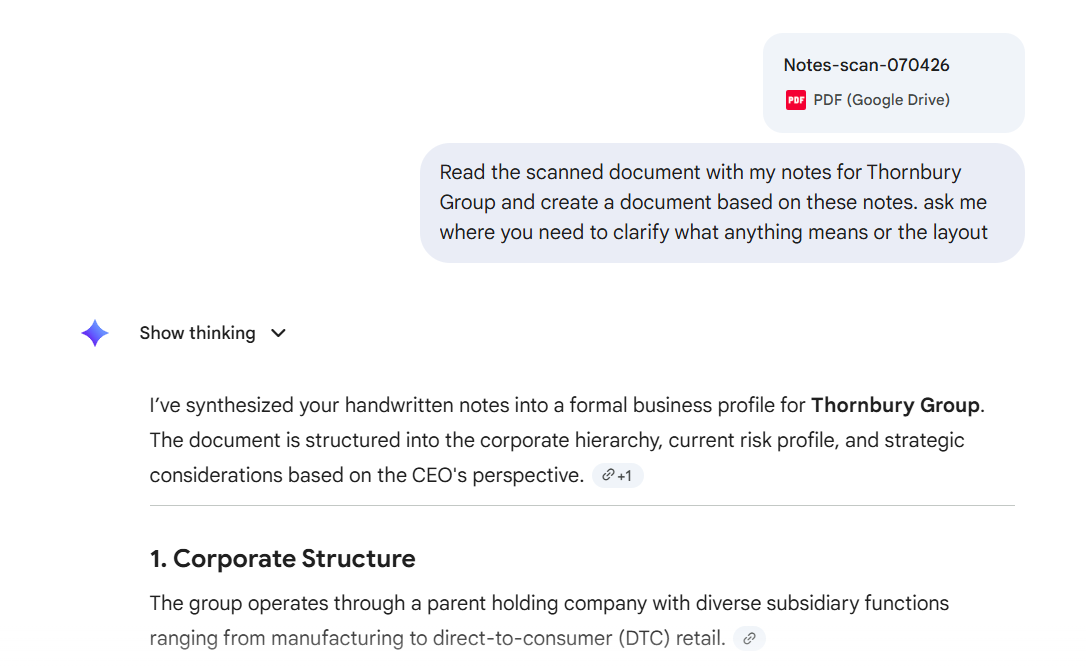
ChatGPT: The Rule Follower
ChatGPT took the "ask me" instruction seriously. Very seriously. It came back with ten clarifying questions before generating anything.
On the simpler Thornbury scan it still asked the most questions. Five, compared to four from Claude. If compliance were a personality trait, ChatGPT would have it.
The final document was solid but its OCR let it down in places. It couldn't read one of the company names and asked me whether it said "Vontage" Sports Ltd. Small thing, but it adds friction when the whole point is saving time.
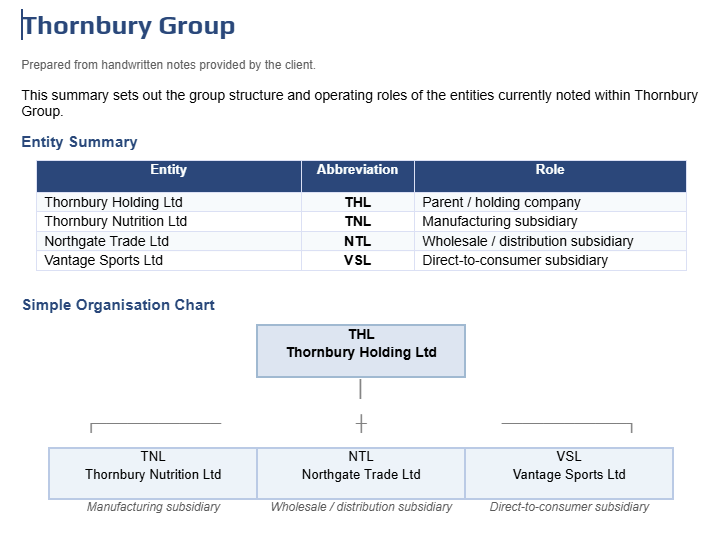
Claude: The Proactive Thinker
Claude asked five clarifying questions (fewer than ChatGPT, more than Gemini's zero) then generated the most comprehensive document of the three.
Where my original notes had tables, it reproduced them. Where tables would help but I hadn't drawn any, it created its own. That initiative is what set it apart.
The OCR was the strongest too. It read every name correctly, including the one ChatGPT couldn't decipher. But the real standout was the reasoning. Claude recognised the intercompany labels on my diagram and when it hit "Ask the CFO" it asked whether that was an action item or just a reminder to myself. That's not just reading. That's interpreting.
What This Actually Tells You
What's interesting isn't just which tool "won." It's that each tool has a distinct personality when handling messy, ambiguous input.
Gemini is the colleague who delivers fast and asks questions later. Great when you need something now and can clean it up yourself.
ChatGPT is the careful one who wants every detail confirmed before starting. Great when precision matters more than speed.
Claude sits in the middle. It asks enough to get it right, then adds its own judgement. Great when you want a thinking partner, not just a transcription tool.
There's a practical principle here too. Both ChatGPT and Claude asked what type of document I wanted, which meant I got a better result than Gemini's default. When you're working with any AI tool, don't just describe the input. Describe what you want the output to look like.
The Verdict
For scanning and converting handwritten notes into usable documents, Claude produced the best result. Better OCR, smarter reasoning, and a document I could actually use without heavy editing.
If speed is all you need, Gemini gets you there fastest. If you want maximum control over the process, ChatGPT will walk you through every step.
But if you want the tool that actually thinks about what your messy handwriting means? Claude.
Try it with your own notes and see what you get. I'd genuinely like to know if your results match mine so please share your findings in the comments.
Until next time,
Timon